Connect a Telegram bot to HabariChat
Telegram works through a bot that you create in Telegram and then paste into HabariChat. It is the fastest channel to connect, no approval, no waiting, and it activates the moment you save the token.
Create a bot, then connect it
You create the bot once with Telegram's official BotFather, copy the token it gives you, and paste that into HabariChat. From then on every message to your bot lands in your unified inbox.
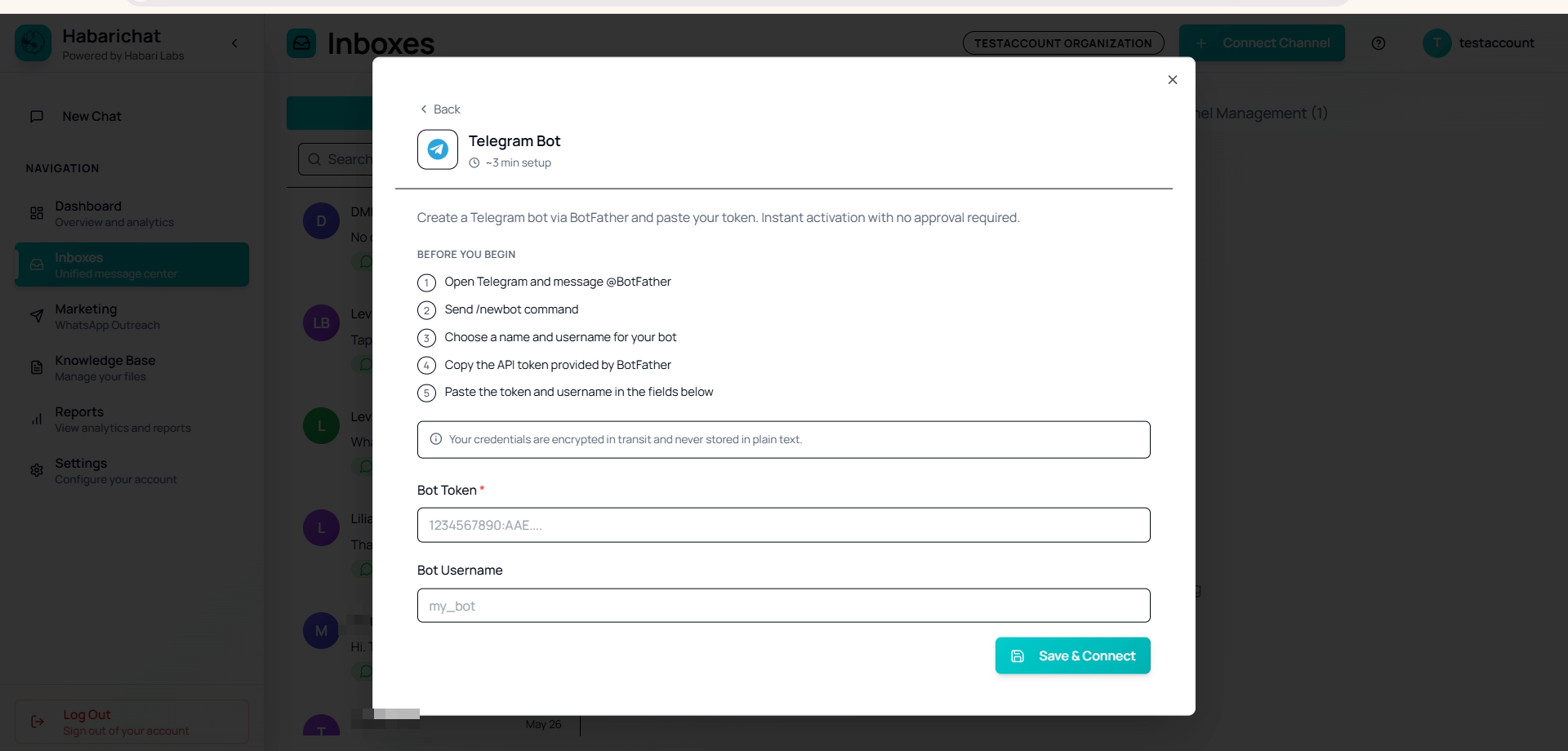
Create a bot first
- Open Telegram and search for @BotFather.
- Send the /newbot command.
- Enter a display name and a username ending in "bot".
- BotFather gives you a bot token (it looks like
1234567890:AAE…). Copy it.
Connect it to HabariChat
- Go to Settings → Channels, click Connect Channel and select Telegram Bot.
- Paste your bot token (required) and, optionally, the bot username.
- Click Save & Connect. HabariChat validates the token, sets up the connection, and creates a Telegram inbox.
- The bot appears in your connected list and the form clears so you can add more bots.
- Message your bot from another Telegram account and confirm it appears in your inbox.
/revoke command to issue a new token, then update it in HabariChat.Troubleshooting
| Issue | What to do |
|---|---|
| "Invalid bot token" | Re-check the token from BotFather. |
| "Token does not belong to a bot" | Make sure you created it with the /newbot command. |
| Duplicate errors | The bot is already connected to an inbox or already registered. |
| No messages arriving | Send a fresh message to the bot, then refresh the Inboxes page and confirm the channel is Active. |
Common questions
Open Telegram, search for @BotFather, send the /newbot command, then enter a display name and a username ending in "bot". BotFather replies with a bot token that looks like 1234567890:AAE…. Copy it and paste it into HabariChat.
No. Telegram activates instantly. As soon as HabariChat validates the bot token it sets up the connection and creates a Telegram inbox, with no review step.
Yes. After you save a bot the form clears so you can add more. Each bot becomes its own Telegram inbox. A token that is already connected will return a duplicate error rather than creating a second inbox.