The AI Assistant
Your always-on helper. It reads incoming messages and replies instantly, usually in under 2 seconds, based on the information you trained it on.
What it does
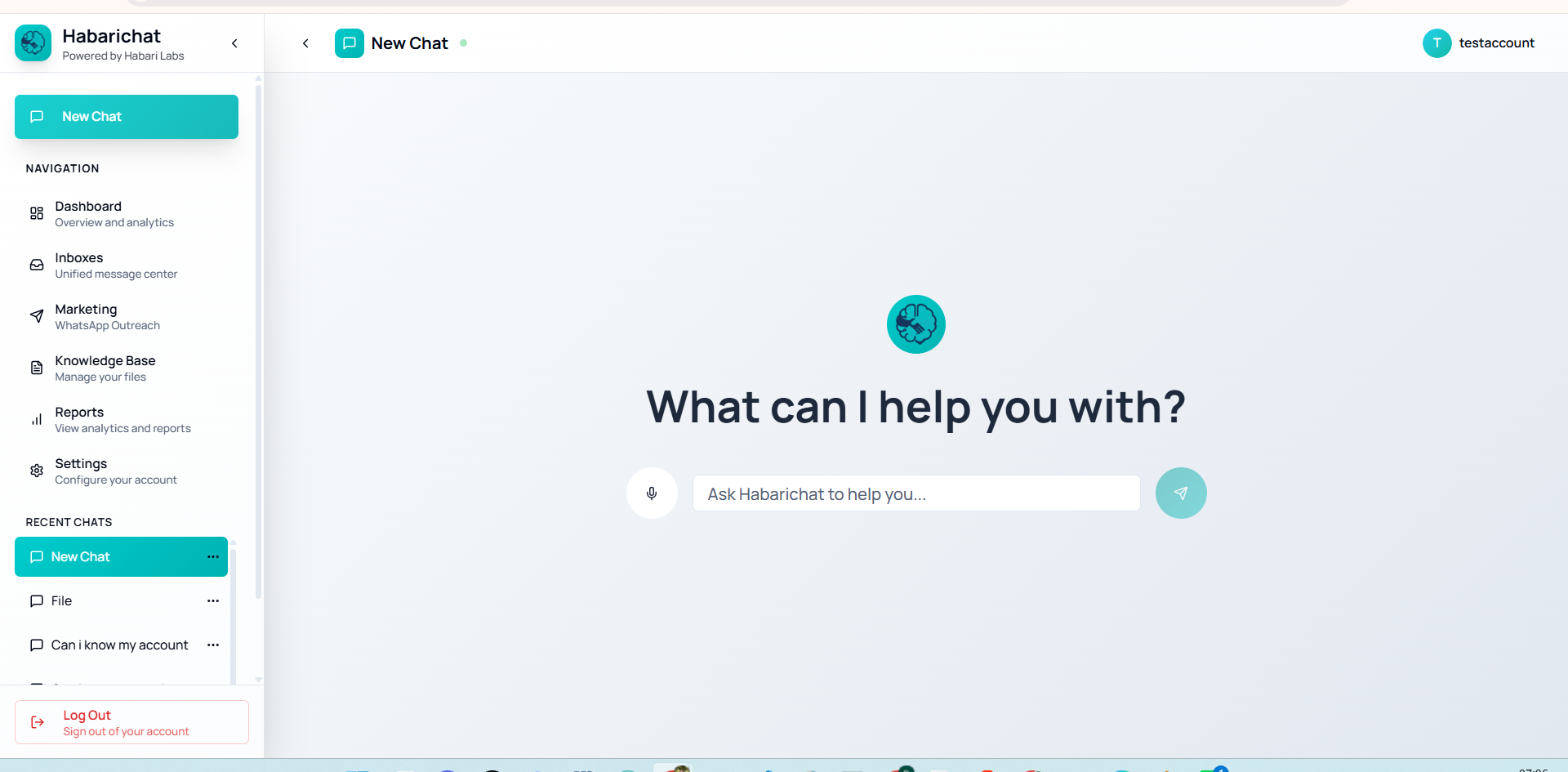
It reads incoming customer messages and replies instantly with accurate answers based on your prices, services, policies, and common questions. It works on every connected channel, around the clock, even at 2 AM, on weekends and holidays.
It can answer repetitive questions, qualify leads, guide people toward a purchase or booking, and hand over to a human the moment a request is complex or the customer asks for a person. Typical replies are sent in under 2 seconds.
Human oversight
You decide how much the AI sends on its own. With human oversight on, every AI reply is prepared as a draft and held for a person to approve, so nothing reaches a customer until you are happy with it.
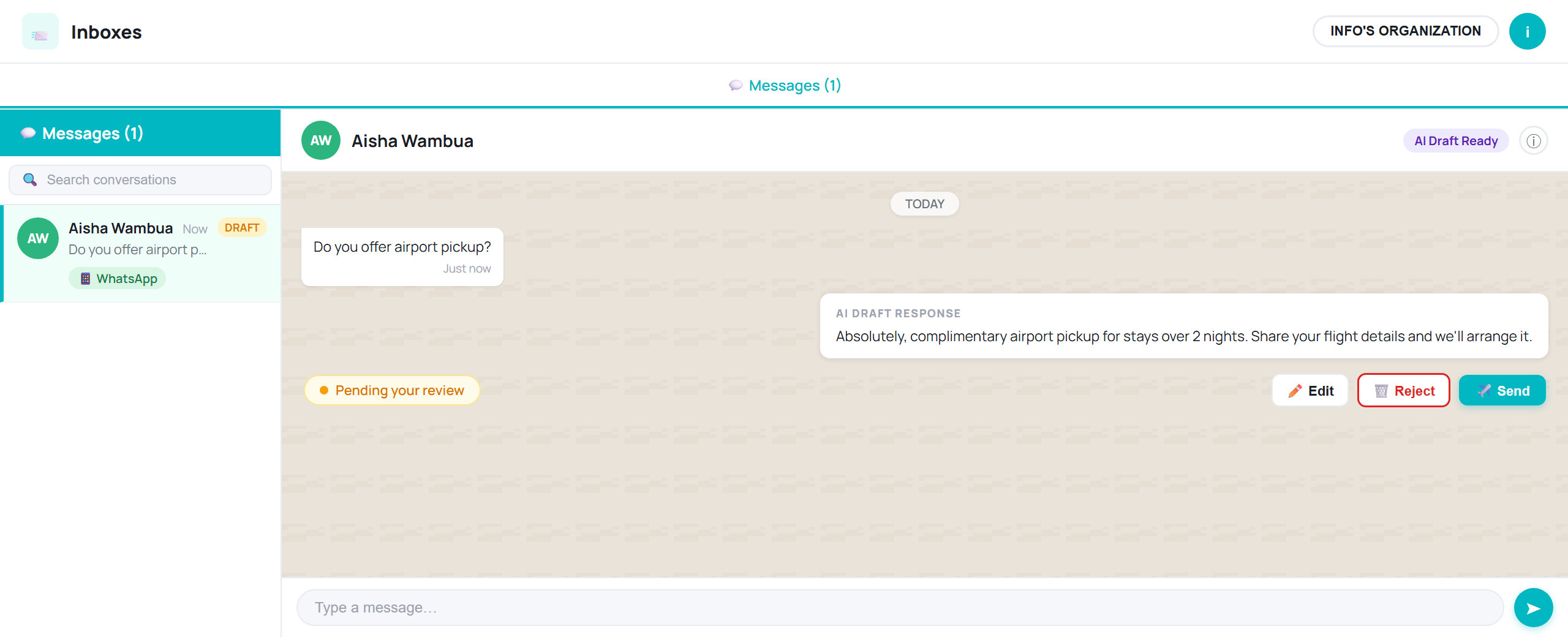
For each draft you have three choices:
- Send: approve the AI's draft as it is and it goes out to the customer immediately.
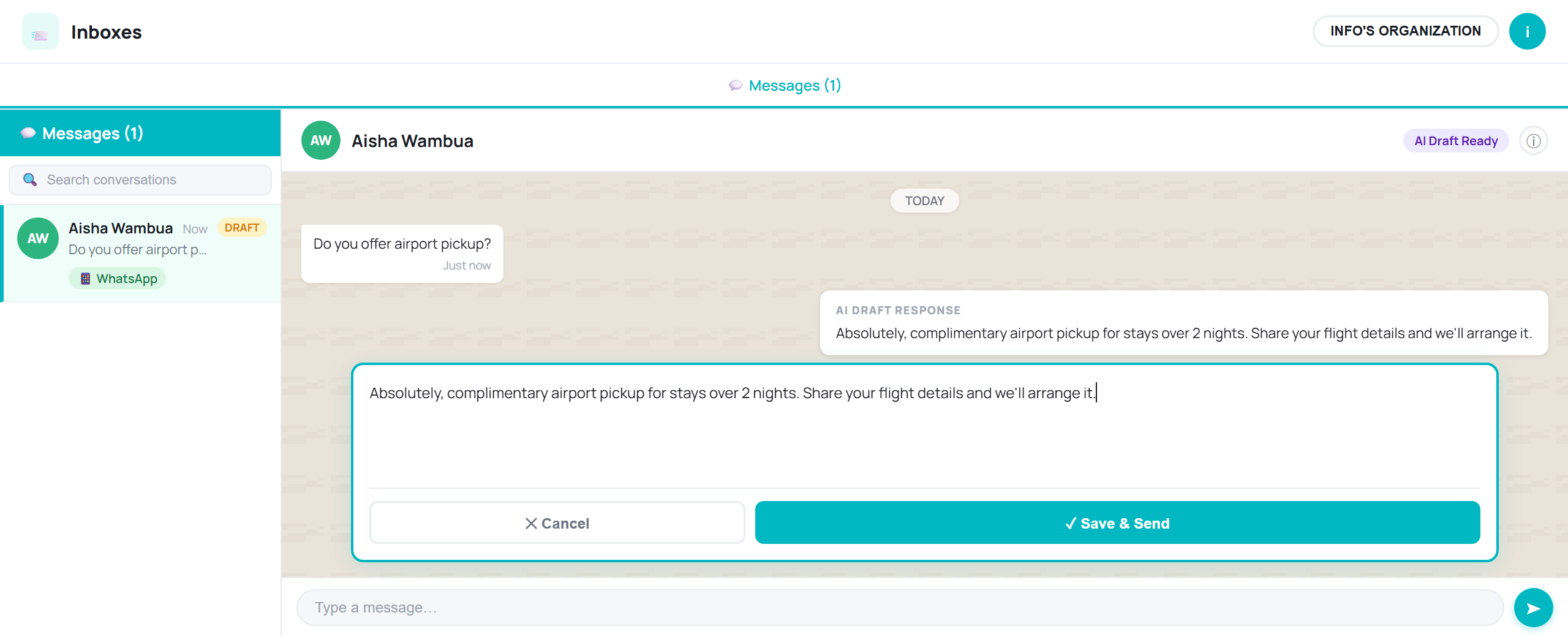
- Edit: open the draft in an editable box, change the wording, tone, or details, then Save & Send.
- Reject: discard the draft, so the AI can prepare a fresh one or you can write your own reply instead.
Set up & tune the AI
Three things shape how the AI works for you, each has its own guide:
AI modes
Choose how much the AI does on its own: Suggested (agents approve drafts), Hybrid (routine auto, complex escalated), or Autonomous (replies directly).
Read the guideHuman handoff
Human-in-the-loop on every plan: the AI routes complex chats, or any chat where the customer asks for a person, to your team with full history.
Read the guideSwahili & Sheng
The AI understands and replies in English, Swahili and Sheng, even when a customer switches between them mid-chat.
Read the guideAfter hours
The AI works 24/7, including nights, weekends, and holidays. It replies in seconds, captures inquiries and leads at any hour, and hands anything complex to your team to follow up, so a booking or question that arrives at 11 PM is answered instead of lost to a competitor.