The Unified Inbox
One shared screen that holds every conversation from every channel, so your whole team can collaborate without switching apps.
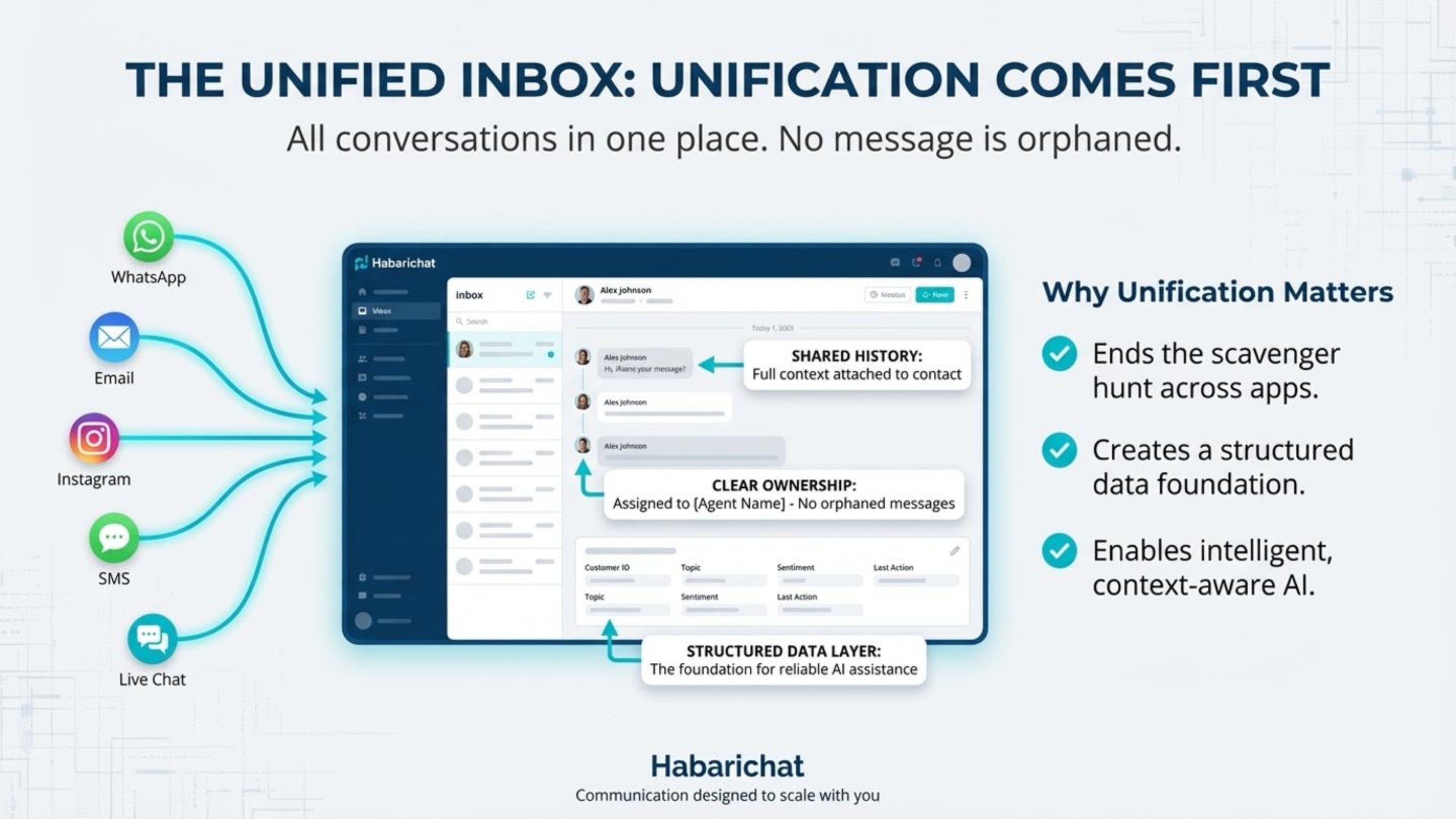
What is the unified inbox?
The unified inbox is one shared screen that holds every customer conversation from every channel in one chronological feed, so your team stops switching between WhatsApp, Instagram, Facebook, email, and website chat on different phones and devices.
You can assign a conversation to a specific team member, leave private internal notes the customer never sees, and view the full history of every customer across all channels. It also shows team analytics like response times, conversation volume, and customer satisfaction.
Find & reply to chats
- Go to Inboxes → Messages tab.
- Click any conversation to open it.
- Type your reply and click Send (or press Enter).
- Use the filters (type, status, date) and the search bar to find specific conversations.
Length and attachment limits on WhatsApp. A text reply can run to 4,096 characters and a caption on a file to 1,024. Attachments are capped at 5 MB for an image (JPEG or PNG), 16 MB for a video (MP4 or 3GPP) or audio, and 100 MB for a document. HabariChat flags anything over the limit and asks you to correct it before the message goes out. See file size & character limits.
Assign & internal notes
- Open the conversation in the inbox.
- Assign it to a specific team member so ownership is clear.
- Add an internal note, using @mentions to bring in a colleague. Internal notes are private, the customer never sees them.
- Any agent can take over and reply, with the full history visible, so the customer never has to repeat themselves.
Why it matters
An integrated inbox isn't a luxury, for a business that talks to customers on chat, it's essential infrastructure. Here's what it changes:
- Prevents lost leads. Businesses lose roughly a fifth to a third of potential customers to slow replies. Bringing every message into one place stops inquiries slipping through the cracks across scattered apps.
- Round-the-clock responsiveness. Automated replies acknowledge, and often resolve, questions outside business hours, so you win the customers who reach out after everyone else has gone home.
- More productive team. Instead of juggling several apps, your team reviews and refines AI-drafted replies, effectively doubling output without adding headcount.
- Consistent answers. Because every reply draws from one knowledge base, customers get the same accurate information whether they message on WhatsApp, email, or web chat.
- Actionable insight. One platform shows which channels drive the most inquiries, your response times, your busy periods, and your most common questions, so you can improve in real time.
- Scales without proportional hiring. As volume climbs, automation absorbs the routine load while people focus on complex cases, so costs don't balloon with growth.