Connect Instagram to HabariChat
Bring your Instagram DMs into the same inbox as WhatsApp, Messenger, and your website chat. The AI replies from your knowledge base, and your team can take over any conversation.
Connect your Instagram account
Instagram connects through Facebook login, because your Instagram account must be linked to a Facebook Page. Once linked, you authorise HabariChat once and your DMs flow into the unified inbox.
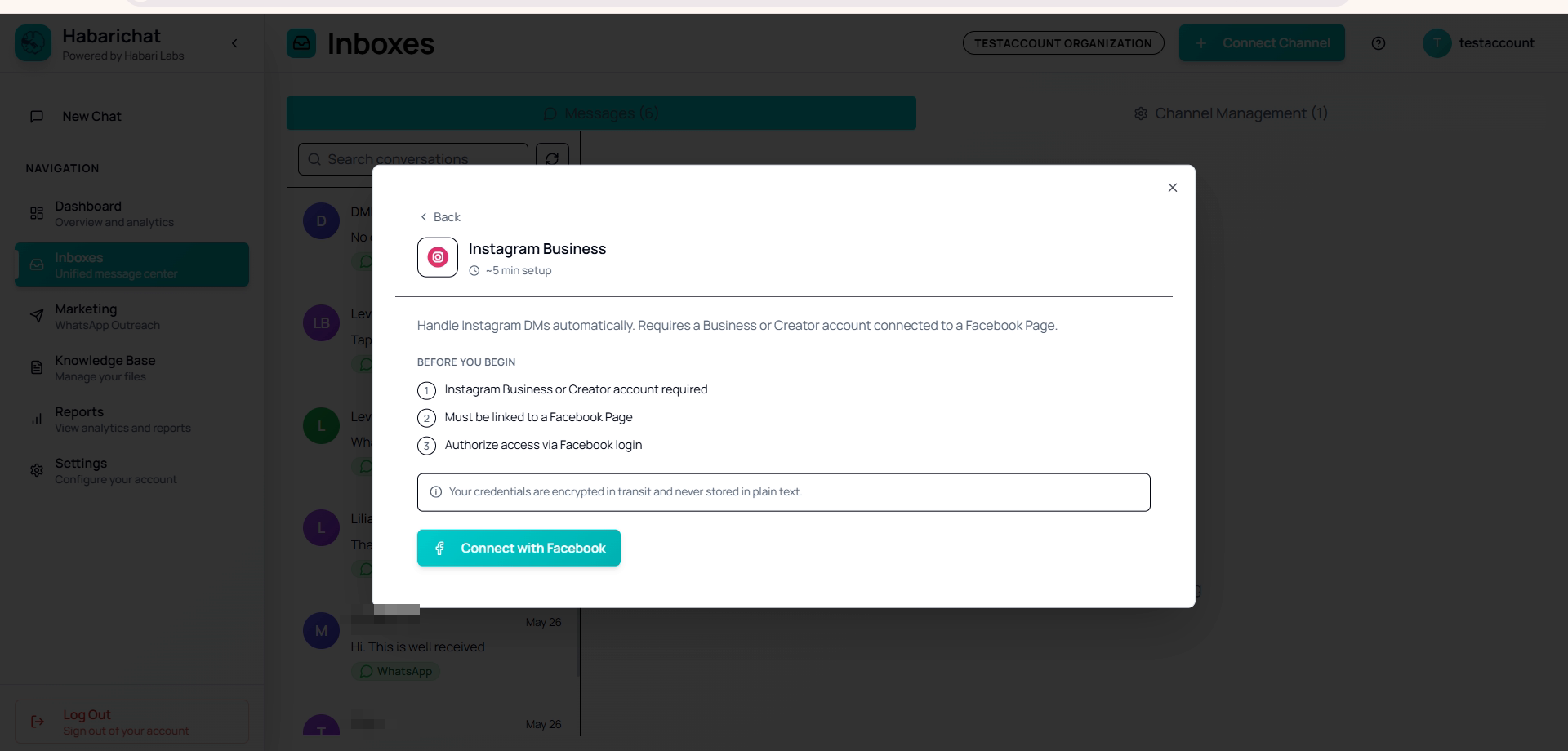
- An Instagram Business or Creator account, not a personal one — how to switch.
- The Instagram account is linked to a Facebook Page — how to link it.
- Authorise access via Facebook login — what the permissions mean.
Steps
- In Facebook Business Manager, link your Instagram account to a Page if it isn't already.
- Go to Settings → Channels, click Connect Channel and select Instagram Business.
- Click Connect with Facebook, log in, select the linked Page, and grant Instagram messaging permissions.
- HabariChat saves your details and the inbox becomes active.
- Send a test DM to your account from another profile and confirm it lands in your inbox.
Troubleshooting
| Issue | What to do |
|---|---|
| "Authentication Required" | Log into HabariChat first. |
| Instagram not appearing in Facebook login | Confirm Instagram is linked to a Facebook Page. |
| "Failed to connect to Instagram" | Confirm the account is a Business or Creator account. |
| DMs not syncing | Allow message access for connected tools in the Instagram app, then reconnect. |
Common questions
No. Only an Instagram Business or Creator account can be connected. You can switch a personal account to a Business or Creator account for free in the Instagram app under Settings, then link it to a Facebook Page.
Instagram messaging is managed through Meta, so your Instagram account must be linked to a Facebook Page. When you authorise HabariChat you log in with Facebook, select that linked Page, and grant Instagram messaging permissions.
Confirm the Instagram account is a Business or Creator account and that it is linked to a Facebook Page you administer. If it was only just linked, wait a few minutes and try the connection again.