Add contacts for WhatsApp Broadcast Marketing
Every campaign starts with a list. Import contacts from your inbox or a CSV, add them manually, and keep each contact's source and opt-in status in one place.
Add contacts
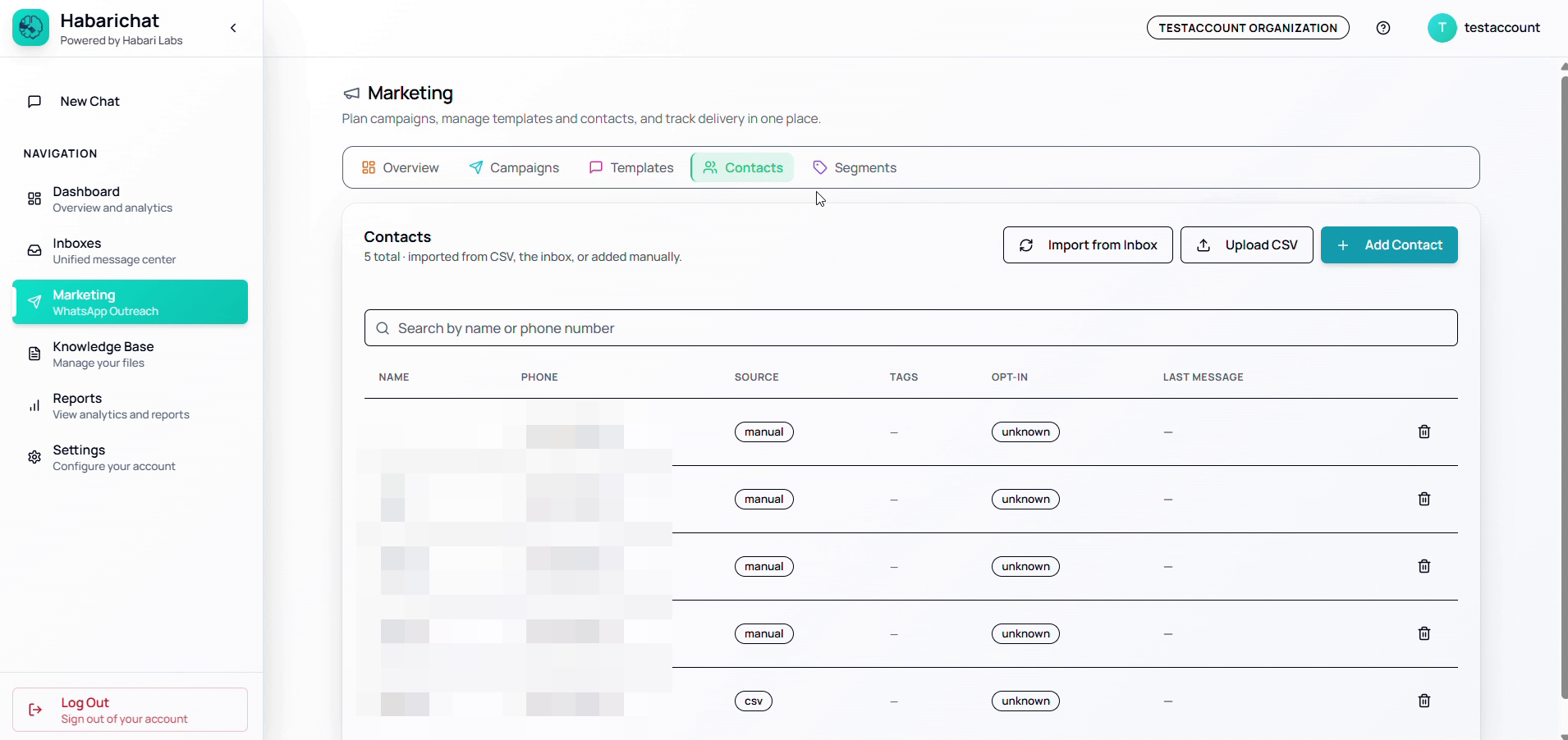
Import a list with CSV:
- In the Marketing section, click Import Contacts / Upload CSV.
- Select your CSV file (it must include at least a phone number column).
- Map the columns to HabariChat fields (name, phone, any custom attributes).
- Confirm the import.
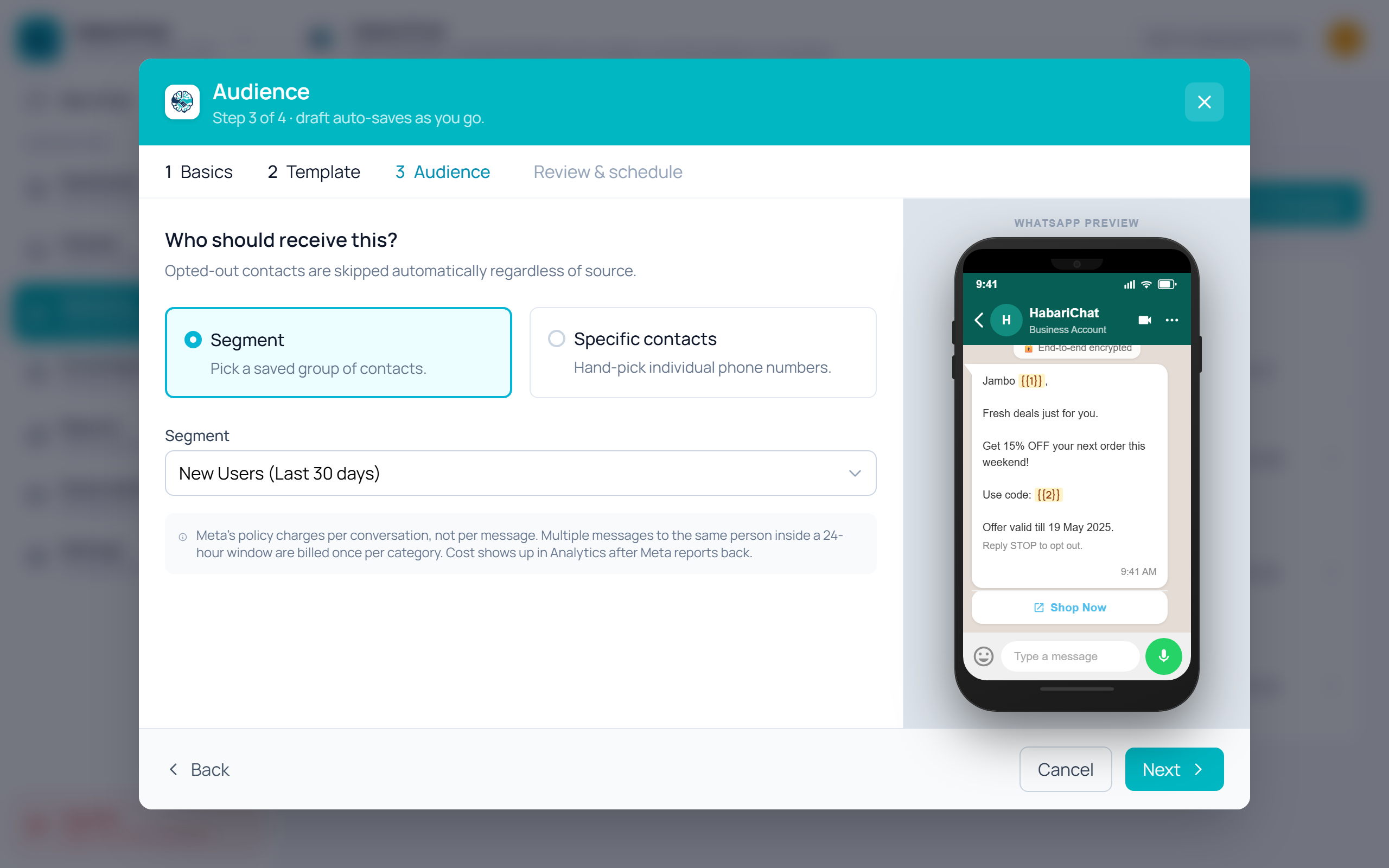
Add one contact manually: click Add Contact, enter the name, phone number, and any tags, then click Save. When you build a campaign, the Audience step lets you target a saved segment or hand-pick contacts — opted-out people are skipped automatically.
Common questions
In the Marketing section click Import Contacts or Upload CSV, select a CSV file that includes at least a phone number column, map the columns to HabariChat fields (name, phone, any custom attributes), then confirm the import.
Yes. Click Add Contact, enter the name, phone number and any tags, then click Save. You can also import contacts straight from your inbox.
Opted-out people are skipped automatically. When you build a campaign, the Audience step lets you target a saved segment or hand-pick contacts, and anyone who has opted out is excluded from the send.