WhatsApp Broadcast Marketing
Send broadcasts and campaigns to your contacts straight from HabariChat. Replies land back in your normal inbox, so a campaign turns into real conversations.
WhatsApp Broadcast Marketing starts with a connected WhatsApp number. If you haven't done that yet, begin with Step 1 below, then come back here.
Open WhatsApp Broadcast Marketing
- Log in to HabariChat.
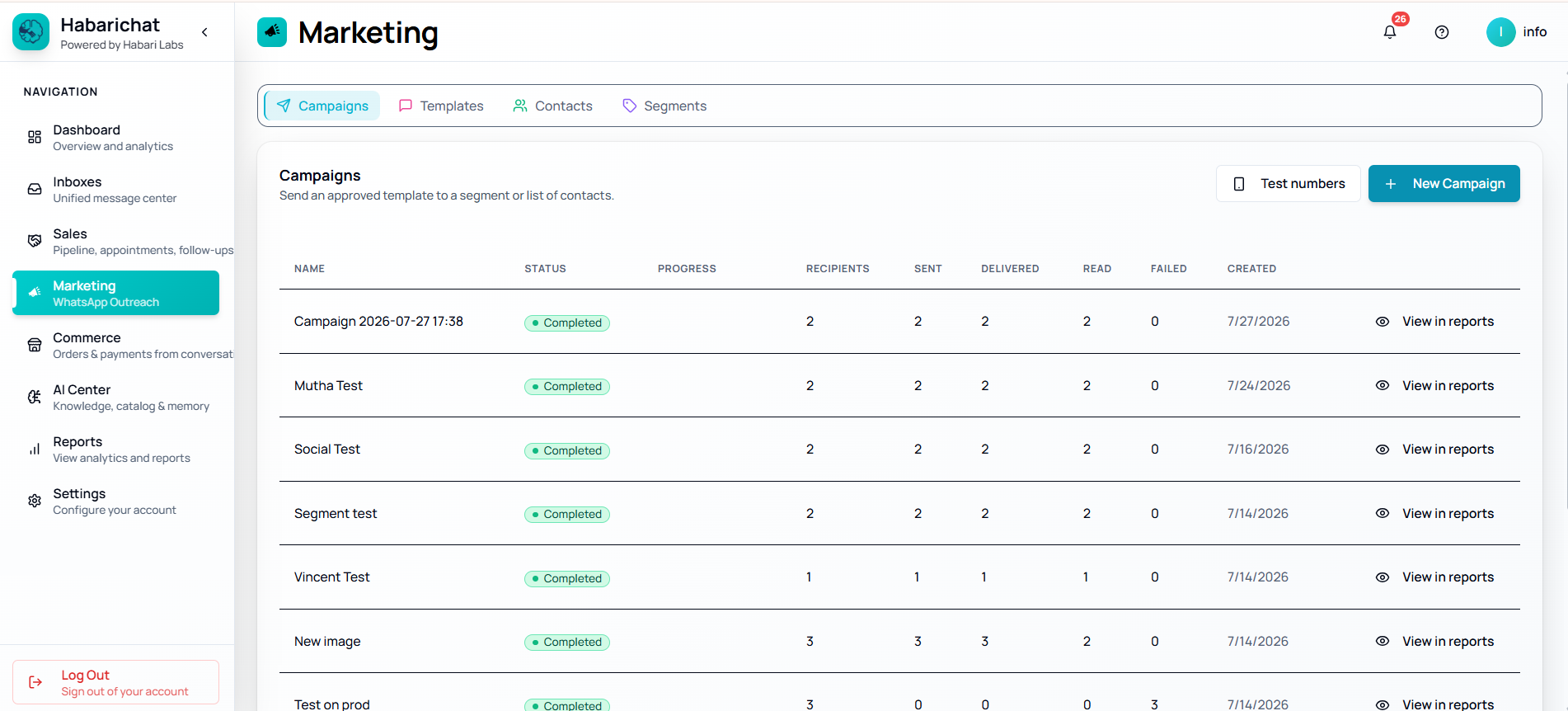
- Click Marketing in the left navigation (or go to app.habarichat.ai/marketing).
- Make sure your WhatsApp channel is connected under Settings → Channels before creating a campaign.
The Marketing Overview shows your headline stats — Sent, Delivery rate, Read rate, and Cost — above a table of active campaigns.
WhatsApp Broadcast Marketing guides
Each part of WhatsApp Broadcast Marketing has its own step-by-step guide. Pick where you are:
Add contacts
Import from your inbox or a CSV, add contacts manually, and keep each contact's source and opt-in status in one place.
Read the guideCreate & send a campaign
Use the four-step wizard, Basics, Template, Audience, Review and schedule, to turn a list into a broadcast with a live preview.
Read the guideMessage templates
Create and submit Meta-approved templates so you can reach customers outside the 24-hour service window.
Read the guideSending limits
Meta's messaging tiers, from 250 to unlimited customers a day, and how you move up as volume and quality build.
Read the guideFile size & character limits
How big a file can be and how long your text can run: image 5 MB, video 16 MB, template body 1,024 characters, and the rest.
Read the guideQuality rating
What Green, Yellow and Red mean, what lowers your rating, and how to recover it so your limits keep growing.
Read the guideMessage costs
Charges are paid to Meta at published rates with 0% markup, and depend on the message category and country.
Read the guideCommon questions
Phone broadcast lists stop at 256 contacts, only reach people who saved your number, and show just the ticks in each individual chat. Campaigns in HabariChat go through the official WhatsApp Business Platform, so one send can reach your whole contact list whether or not they saved your number, with sent, delivered, read and replied counts for the whole campaign, and every reply lands back in your team inbox.
Yes. Campaigns are delivered to every contact in your audience whether or not they saved your number, because they are sent through the WhatsApp Business Platform rather than a phone broadcast list. What shapes your reach is Meta's sending limit for your number, which starts at 250 unique customers a day and grows as quality and volume build.
Yes. Replies land in your normal HabariChat inbox, where your team or the AI assistant can answer, so a broadcast turns into real conversations. Campaign reports show exactly who replied.