Connect WhatsApp to HabariChat
WhatsApp connects through Meta's secure login. HabariChat integrates with the official WhatsApp Business Platform, so your messaging stays compliant with Meta's policies and every conversation lands in your unified inbox.
Connect your WhatsApp number
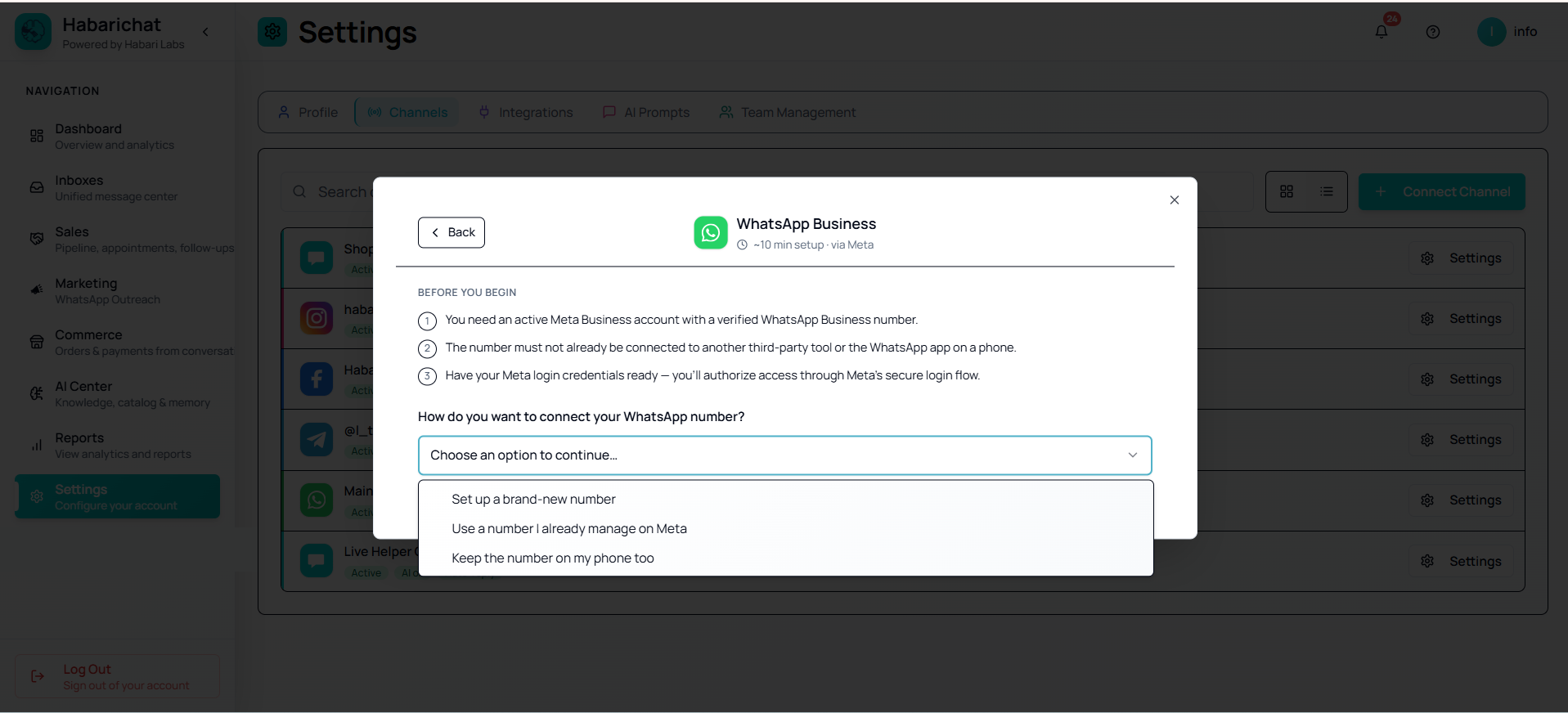
Everything WhatsApp starts here, by connecting your number. When you click Connect Channel, a secure Meta popup opens and asks how you want to connect, you pick one of these three options from a dropdown. If the number you advertise is already busy on someone's phone, take the first one:
After your number is connected, set up WhatsApp Broadcast Marketing to send broadcast campaigns and message templates to reach customers outside the 24-hour window.
- A WhatsApp Business Platform account (set up through Meta).
- A dedicated phone number that is not registered to any existing WhatsApp account (personal or virtual). If it is, delete that WhatsApp account first, or choose Coexistence to keep the number active on your phone instead.
- Your Meta / Facebook login for the account that owns the number. Credentials are encrypted in transit and never stored in plain text.
Steps
- Go to Settings, open the Channels tab and click Connect Channel, then select WhatsApp Business.
- Click Connect WhatsApp. A secure Meta Embedded Signup popup opens directly inside HabariChat.
- Log in with Facebook and choose the business portfolio you want to integrate.
- Choose how to connect: set up a brand-new number, use a number you already manage on Meta, or keep the number on your phone (Coexistence). See Choose how to connect your number for each walkthrough.
- Grant HabariChat the requested permissions and select the account/number to connect.
- You're returned to HabariChat and your phone number(s) show as connected.
- Send a test message to the number and confirm it appears in your inbox.
Troubleshooting
| Issue | What to do |
|---|---|
| Number already in use | Disconnect it from any existing tool, or use Coexistence to keep it linked in the WhatsApp mobile app instead of deleting it. |
| Meta login fails | Use the Meta account that owns the WhatsApp Business number. |
| No messages appearing | Send a test message, refresh the Inboxes page, and confirm the channel shows as Active. |
| Permission errors | During the Meta login, grant all the permissions HabariChat requests. |
| "Failed to get WhatsApp OAuth URL" | Check your internet connection and retry. |
| Number missing after authorising | Confirm the number is active in Meta Business Manager. |
| "Phone number already linked to automatic events" | Turn off Auto labels in the WhatsApp Business app (Business tools > Labels), then retry. See the full fix. |
Choose how to connect your number
When you click Connect WhatsApp, a secure Meta popup opens right inside HabariChat. Because HabariChat is a Verified WhatsApp Tech Provider, the whole onboarding happens in that one window: you never leave the dashboard and you never copy secret keys by hand.
You'll pick one of three ways to connect, based on what your number is doing today. Each one has its own step-by-step guide:
Keep on your phone (Coexistence)
Recommended. Keep chatting from the WhatsApp Business app on your phone and automate at the same time. Replies sync both ways, and it is reversible, so it is the safest option for a number in daily use.
Read the guideSet up a brand-new number
You don't have a number on WhatsApp yet, or you want a dedicated one just for automation. The popup registers your business and creates your WhatsApp Business Account.
Read the guideUse a number on Meta
You already have a WhatsApp Business Account in Meta Business Manager and want to bring one of its numbers in. No business re-registration needed.
Read the guide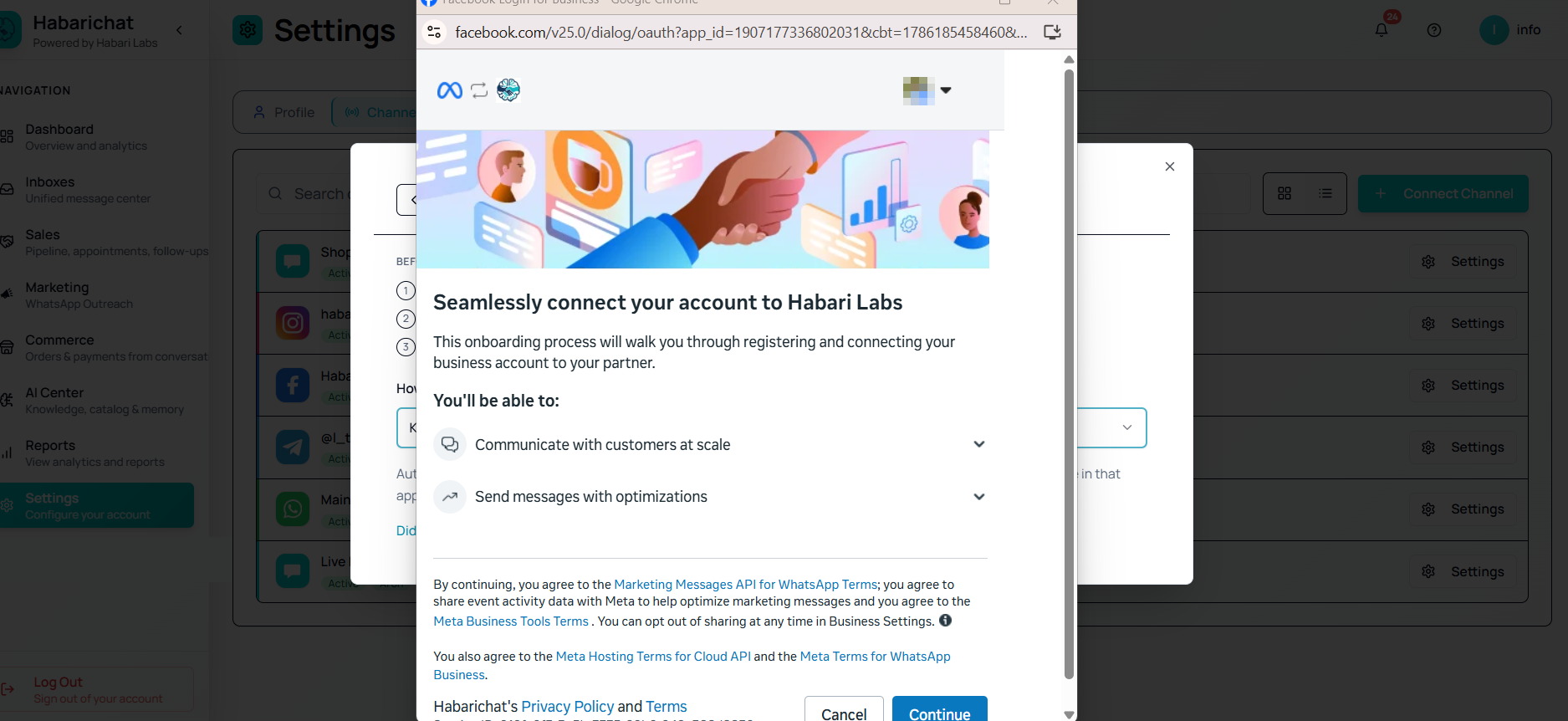
- A Facebook login that is an admin of your business portfolio. To check: go to Business Settings > Users > People, find your name, and confirm the Role column shows Admin (not Employee).
- A phone number that can receive an SMS or voice code. For a brand-new API number it must not already be on any WhatsApp account; for Coexistence it must already be active in the WhatsApp Business app.
- Your business details (legal business name and website or social profile) if you'll be registering a new business. No website is fine: your own WhatsApp profile link, or a Facebook or Instagram page, is accepted in that field.
Common questions
For a dedicated API number, you need a number that is not registered to any existing WhatsApp account, personal or virtual. If you want to keep using your current number in the WhatsApp Business app, choose the Coexistence option instead, which links the same number to the API while you keep chatting from your phone.
Yes. HabariChat is a Verified WhatsApp Business Platform Tech Provider. We onboard your number directly onto Meta's official platform, and Meta bills your message costs directly at its published rates with no markup.
After a customer messages you there is a 24-hour service window in which you can reply freely. Outside that window, reaching out uses pre-approved message templates. You cannot cold-start a brand-new chat with a user who has never messaged you.
For a new API number, it means the number is already on an existing WhatsApp account. Delete that account in the WhatsApp app and retry, or use the Coexistence option to keep the number on your phone and link it to the API.