Keep the number on your phone (Coexistence)
Keep the number you already use. Coexistence links your number to the Platform while it stays active in the WhatsApp Business app on your phone, so nothing gets reprinted, no customer learns a new number, and the person who manages the device keeps chatting exactly as they do today. Replies sync both ways, so broadcast campaigns and automation run in HabariChat at the same time. If your number is already in daily use, this is the option we recommend.
Keep the number on your phone
When you click Connect WhatsApp in HabariChat, a secure Meta popup opens right inside the dashboard. For Coexistence the popup shows a QR code that you scan from the WhatsApp Business app, the same way you link any device.
- The number must already be active in the WhatsApp Business app (not personal WhatsApp) on your phone.
- The WhatsApp Business app updated to a recent version, with the phone nearby to approve the link.
- A Facebook login that is an admin of your business portfolio.
Steps
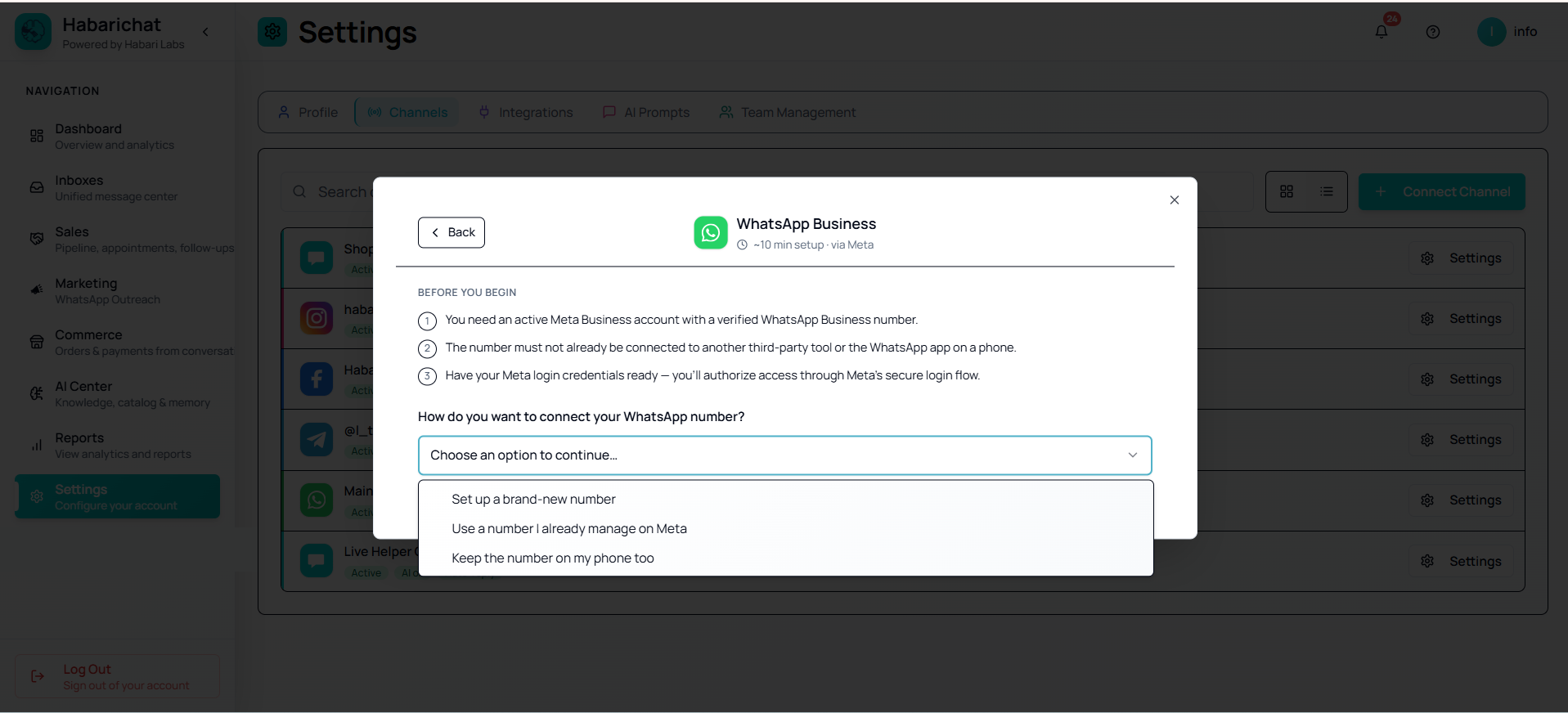
- In HabariChat, go to Settings, open the Channels tab and click Connect Channel, then select WhatsApp Business. The Meta popup opens.
- In the popup, choose Keep the number on my phone (Coexistence). A QR code appears.
- On your phone, open the WhatsApp Business app and go to Settings → Linked devices → Link a device.
- Scan the QR code shown in the popup and approve the link.
- Wait for the popup to confirm, then finish. You're returned to HabariChat with the number connected.
- Send yourself a test message to confirm it appears both in the app and in your HabariChat inbox.
Troubleshooting
| Issue | What to do |
|---|---|
| Popup blocked or won't open | Allow popups for habarichat.ai in your browser, then click Connect WhatsApp again. |
| QR code won't link | Scan from the WhatsApp Business app (not personal WhatsApp), under Linked devices. Update the app if the option is missing. |
| "Link a device" option missing | Update the WhatsApp Business app to the latest version, then try again. |
| Messages not syncing | Keep the phone online, send a fresh test message, then refresh the Inboxes page. |
| Need certain calling features | A few Platform features are limited to a dedicated API number. Broadcast campaigns and sending tiers are not affected. |
Common questions
Coexistence lets you keep using the WhatsApp Business app on your phone and connect the same number to the API at the same time. Replies sync both ways, so your team can automate in HabariChat while you still chat from the app.
No. The number must already be active in the WhatsApp Business app, not personal WhatsApp. Update the WhatsApp Business app to a recent version and keep your phone nearby to approve the link.
Broadcast campaigns are not limited. A Coexistence number sends marketing template campaigns normally and climbs Meta's sending tiers exactly like a dedicated API number. A few Platform features, such as certain calling options, do work only on a dedicated API number, so set up a brand-new number if you need those.
Yes, and it is the setup most growing businesses use. Campaigns go out from HabariChat to your whole contact list while the person who manages the device keeps answering queries in the WhatsApp Business app. Both run on the same number, so every conversation sits in one shared history your team can see.