Use a WhatsApp number you already manage on Meta
Choose this if your business already has a WhatsApp Business Account in Meta Business Manager and you just want to bring one of its numbers into HabariChat. No business re-registration needed.
Use a number you manage on Meta
When you click Connect WhatsApp in HabariChat, a secure Meta popup opens right inside the dashboard. Because HabariChat is a Verified WhatsApp Tech Provider, the whole onboarding happens in that one window: you never leave the dashboard and you never copy secret keys by hand.
- A Facebook login that is an admin of the business portfolio that owns your WhatsApp Business Account.
- An existing WhatsApp Business Account (WABA) in Meta Business Manager.
- If you'll add a new number to that WABA, a number that can receive an SMS or voice code.
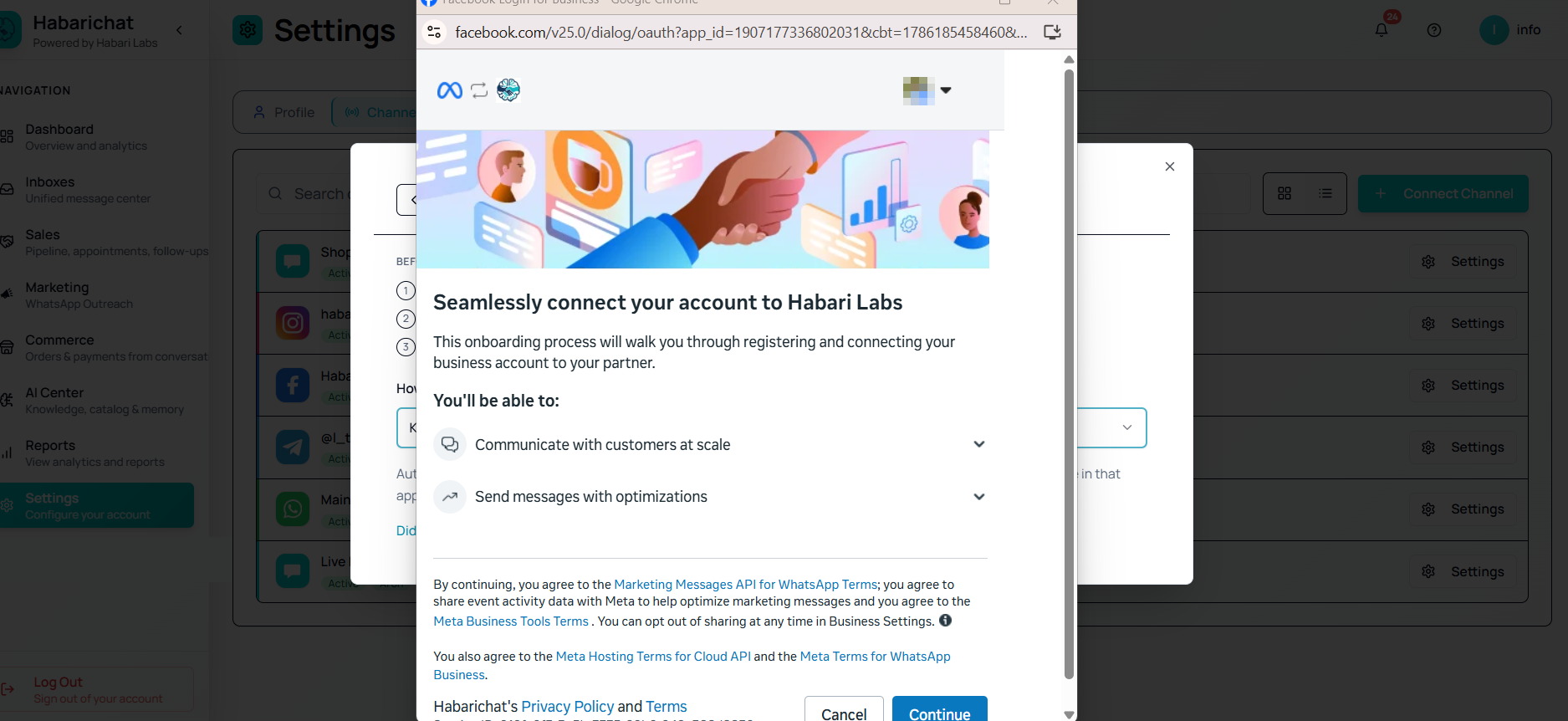
Steps
- In HabariChat, go to Settings, open the Channels tab and click Connect Channel, then select WhatsApp Business. The Meta popup opens.
- Log in with Facebook and select the business portfolio that owns your WhatsApp Business Account.
- Choose your existing WhatsApp Business Account from the list (this is your WABA ID).
- Pick the number already on it, or click Add phone number to bring in a new one with its country code.
- If you added a new number, verify it with the SMS or voice code Meta sends.
- Finish the popup. You're returned to HabariChat with the number connected.
- Send a test message to the number and confirm it appears in your inbox.
Troubleshooting
| Issue | What to do |
|---|---|
| Popup blocked or won't open | Allow popups for habarichat.ai in your browser, then click Connect WhatsApp again. |
| Your WhatsApp Business Account isn't listed | Log in with the Facebook account that is an admin of that business portfolio, then select the right portfolio. |
| No verification code arrives (new number) | Re-check the country code, wait a minute, then request the code again or switch to voice call. |
| Number missing after authorising | Confirm the number is active in Meta Business Manager, then refresh the Inboxes page. |
| Permission errors | During the Meta login, grant all the permissions HabariChat requests. |
Common questions
No. If your business already has a WhatsApp Business Account in Meta Business Manager, you just select that portfolio and WABA in the popup and pick the number. There is no business re-registration step.
Make sure you logged in with the Facebook account that is an admin of the business portfolio that owns the WhatsApp Business Account. If you have several portfolios, select the one that owns the WABA you want to connect.
Yes. In the popup choose Add phone number, enter it with the country code, and verify it with the SMS or voice code Meta sends. The new number is added to your existing WABA and connected to HabariChat.