WhatsApp Message Templates
A message template is a pre-approved WhatsApp message you use to start a conversation, like an order update, a reminder, or a promotion. Here is how templates work, what Meta checks, and how HabariChat turns the message you already have into a template that submits cleanly the first time.
What is a message template?
WhatsApp protects its users from spam, so a business cannot message a customer out of the blue with free text. Instead, you create a template, submit it to Meta, and once it is approved you can send it to customers who have opted in. Every proactive WhatsApp message, whether it is an order confirmation, an appointment reminder, a one-time passcode, or a campaign, starts as a template.
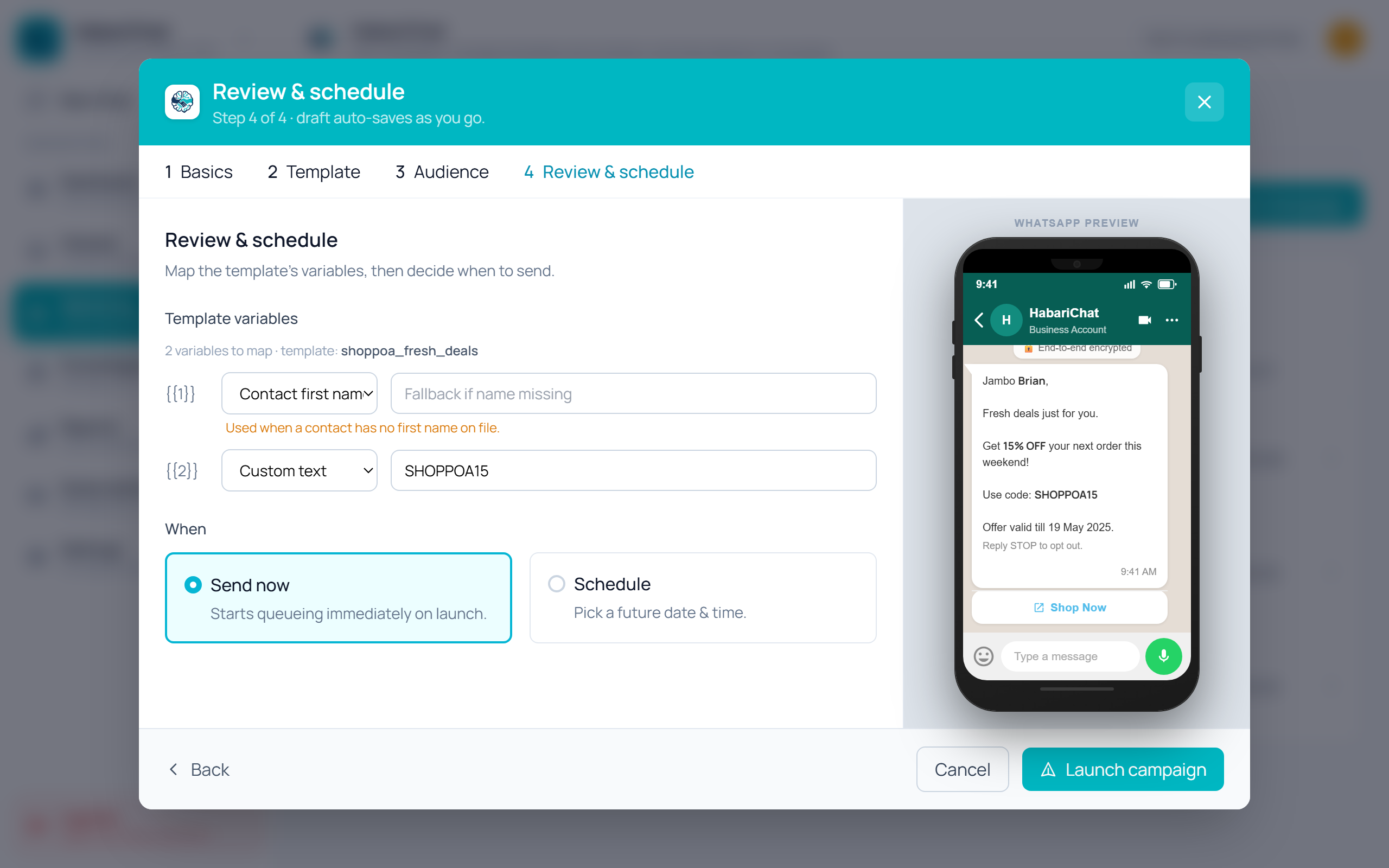
Templates support placeholders like {{1}} and {{2}}, so one approved template can be personalised for every contact with their name, order number, or appointment time.
The 24-hour service window
When a customer messages you first, a 24-hour window opens. Inside it you (and the AI) can reply with normal free-text messages, no template needed. Once 24 hours pass with no new message from the customer, the window closes and you can only re-open the conversation with an approved template.
Template categories
Meta sorts every template into one of three categories. The category you choose must match what the message actually does, and it affects the cost.
| Category | Used for | Relative cost |
|---|---|---|
| Marketing | Promotions, offers, product launches, re-engagement | Highest |
| Utility | Order updates, receipts, appointment and payment reminders | Much cheaper |
| Authentication | One-time passcodes and verification (no links, media or emojis allowed) | Low |
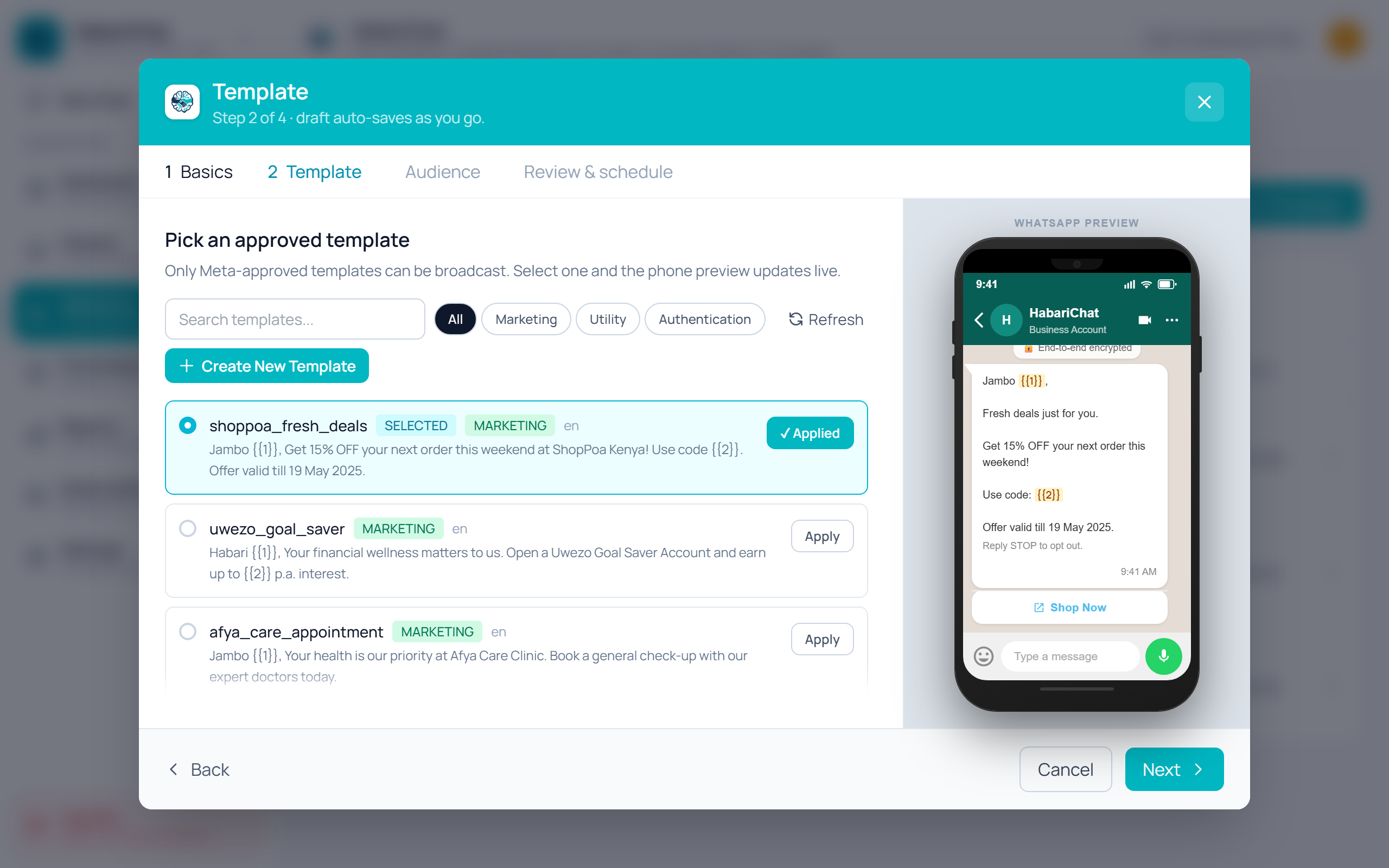
What goes inside a template
A template is made of up to four parts. Only the body is required.
- Header (optional): a short line of text, or an image, video, or document.
- Body (required): your main message, with placeholders like {{1}} for personalised details.
- Footer (optional): small supporting text, often a sign-off or a note like "Reply STOP to opt out".
- Buttons (optional): quick-reply buttons, call-to-action buttons (visit a website or call a number), or a copy-code button.
Size limits for each part
Each part of a template has its own cap. HabariChat checks your text against these before it is submitted and asks you to shorten anything over the line.
| Part of the template | Limit |
|---|---|
| Header text | 60 characters |
| Body text | 1,024 characters |
| Footer text | 60 characters |
| Button label | 25 characters, up to 10 buttons |
| Image or video header | 5 MB image, 16 MB video |
How HabariChat builds your template
You do not need to learn Meta's template format. In HabariChat you simply type the message you actually want to send, in plain language, and HabariChat does the rest:
- Write your message. For example: "Hi John, your order 1234 is out for delivery and will arrive today."
- HabariChat auto-builds the template. It detects the personal details (the name, the order number) and turns them into placeholders ({{1}}, {{2}}), splits your text into the correct header, body, and footer, and suggests buttons where they help.
- It suggests the right category (Marketing, Utility, or Authentication) so your template is priced correctly and is less likely to be reclassified.
- It checks for common rejection causes before you submit, such as missing sample values, broken placeholders, or wording that does not match the category.
- Submit with one click. HabariChat sends the finished template to Meta for review through our Verified Tech Provider connection.
The approval process
- You write your message and HabariChat builds the template.
- You submit it to Meta for review.
- Meta reviews it, usually within a few minutes, and up to 24 hours.
- The status updates to Approved, Pending, or Rejected.
- If it is rejected, you fix the issue HabariChat flags and resubmit.
Template pacing: new templates (and ones that were recently unpaused or do not yet have a high quality rating) are sent gradually at first. Meta releases them at full speed once early recipients respond well. This protects your sender reputation, so let a new template warm up before a large send.
Template statuses
| Status | What it means |
|---|---|
| Pending | Submitted and waiting for Meta's review. |
| Approved | Cleared review and ready to send. |
| Rejected | Did not pass review. Fix the flagged issue and resubmit. |
| Paused | Temporarily stopped after repeated negative feedback from recipients. It can recover. |
| Disabled | Switched off for a policy violation or sustained negative feedback. You will need a new template. |
Approved templates also carry a quality signal of High, Medium, or Low, based on how recipients react. Keeping templates relevant and wanted keeps that signal healthy, which is closely tied to your account quality rating.
Why templates get rejected, and how to avoid it
Most rejections come from a handful of avoidable issues. HabariChat checks for these before you submit, but it helps to know them:
- Wrong category: a promotion submitted as Utility, or the reverse. Match the category to the content.
- Placeholder problems: placeholders with no sample values, or text that is only placeholders.
- Formatting issues: double spaces, broken brackets, or special characters around variables.
- Promotional wording in non-marketing templates: offers and discounts belong in Marketing.
- Unclear or generic content: the customer should be able to tell what the message is about.
Best practices
- Keep it short and easy to read on a phone.
- Use placeholders to personalise (name, order number, date).
- Give one clear call to action per template.
- Match the category to what the message actually does.
- Preview with real sample values before you send at scale.
- Message people who have opted in, and make it easy to opt out.
We are a Verified WhatsApp Tech Provider
HabariChat is an approved WhatsApp Business Platform Tech Provider, verified by Meta. That means we can onboard your business onto WhatsApp's official platform directly, with no middleman reseller in between.
Two things this means for you:
- Official, direct connection: your WhatsApp number and your templates go through Meta's official channel, which is more reliable and trusted.
- Meta bills your message costs directly, at Meta's published rates, with 0% markup from HabariChat. Your HabariChat subscription and your WhatsApp message costs stay separate and transparent.
Frequently asked questions
Usually a few minutes, and up to 24 hours. You will see the status change to Approved or Rejected in HabariChat.
No. You type the message you want to send in plain language and HabariChat builds the template, detects the variables, and suggests the right category. See how HabariChat builds your template.
You can edit an approved template a limited number of times, but the edit goes back to Meta for review. Big changes are usually best done as a new template.
Pausing happens after repeated negative feedback (people blocking or reporting the message). Send relevant content to people who opted in and the template can recover. See template statuses.
Meta charges WhatsApp message costs directly, at its published rates, with 0% markup from HabariChat. Your HabariChat plan is billed separately. See Verified Tech Provider and message costs.