Getting Started
New to HabariChat? This is the fastest path from sign-up to your first answered conversation.
Sign up & connect
Create your account and connect a channel like WhatsApp.
Train the AI
Upload your prices, policies, and FAQs so it answers like you.
Go live
Start handling customer conversations, 24/7, in seconds.
What is HabariChat?
HabariChat is an all-in-one customer messaging platform built for African and Kenyan businesses. It brings every channel you use to talk to customers, WhatsApp, SMS, Telegram, Facebook Messenger, Instagram DM, email, and website live chat, into one shared inbox, and adds an AI assistant that answers customers instantly, day and night.
Think of it as one smart inbox plus an always-on helper that replies for you. It even understands when customers switch between English, Swahili, and Sheng in the same chat.
The 15-minute setup
The whole flow is visual and done through your dashboard, no technical skills needed:
- Sign up at app.habarichat.ai/auth/signup.
- Connect a channel, such as your WhatsApp Business number.
- Train the AI on your services, prices, policies, and common questions.
- Go live and start handling conversations.
Create your account
You'll need a business name, an email address, and a strong password (a knowledge base is optional, you can add it later).
- Go to habarichat.ai and click Get Started (or Sign Up).
- Choose a plan, you can upgrade later as you grow.
- Enter your business name, email, and password, or sign up with Google or Microsoft.
- Verify your email: check your inbox for a verification link and click it to confirm your address.
- Once verified, you have full access. Finish by uploading your knowledge base and connecting your channels.
What to do first
Once your account is verified you land straight in the dashboard, with nothing standing between you and the product. There are two jobs worth doing in your first sitting, in this order:
- Connect a channel. Go to Settings → Channels and click Connect Channel. Start with WhatsApp if that is where your customers already are, and choose Coexistence so the number keeps working on your phone.
- Teach the AI. Open AI Center and upload your price list, services, and the questions customers keep asking, on the Knowledge Base tab.
Your dashboard
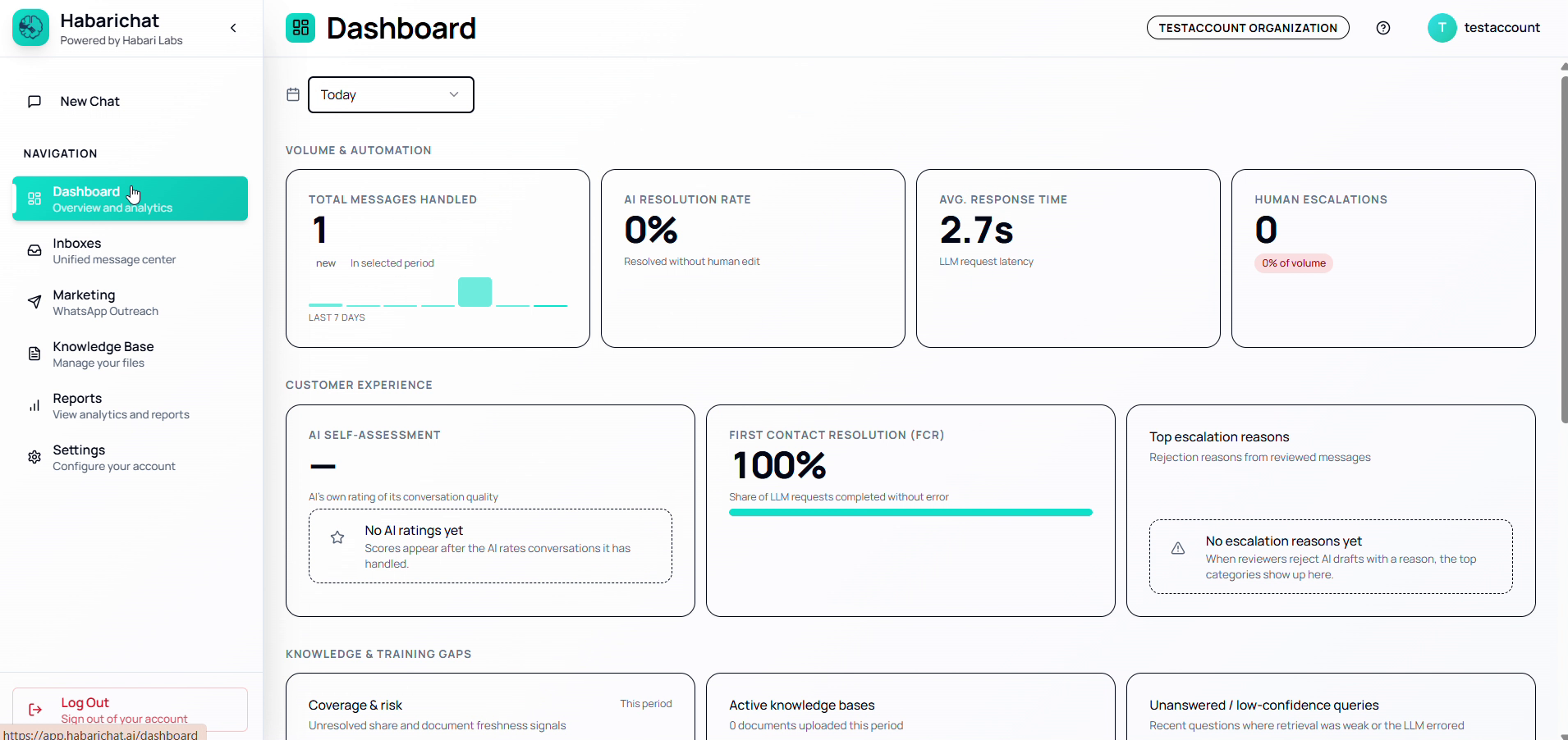
Your Dashboard is a live snapshot of how your AI and team are handling conversations: messages handled, AI resolution rate, average response time, escalations, customer satisfaction, and where your knowledge base has gaps.
Free trial
Every HabariChat plan comes with a 14-day free trial with full access to all features, and no credit card is required to start. You can set everything up and see how it handles real customer chats before you pay anything.
On every plan, the trial includes an allowance of up to 250 broadcast messages.
The Enterprise plan is arranged by contacting the team rather than through the standard self-serve trial.
Do I need to code?
The entire setup is visual: you connect your channels, add your business information to train the AI, and adjust settings from your dashboard. Your customer service, admin, or operations team can run everything themselves.
The only step that involves code is the website live chat widget, and that's just copying and pasting one small snippet onto your site.
See a live demo
HabariChat has interactive simulations that show features and industries in action. A few to start with: